
How to use OpenAI Whisper on a Mac
Whisper is a speech recognition model from OpenAI. Its model files are freely available, so Whisper can run on your own Mac without sending audio to a server. This guide covers the two usual routes, the choice of model and a step-by-step setup for dictation.
By Thesimpleex · · 3 min read
Command line or app?
Command line. If you are comfortable in the Terminal, you can run Whisper there, for example with the open-source project whisper.cpp, and transcribe audio files. This route suits recordings that already exist.
App. To dictate while you write, you need an app that connects Whisper to your keyboard. Steno is a free, open-source Mac app for this purpose: hold a key, speak, release, and the text appears at your cursor in any app. Steno uses whisper.cpp with Metal, so the model runs on the Mac’s graphics chip. A sentence is usually ready in under a second. Steno can also transcribe meetings live, from your microphone and the Mac’s sound, with timestamps.
If you are weighing Whisper against Apple’s built-in dictation, the guide on how to dictate on a Mac without the cloud covers both.
Which Whisper model should you choose?
Steno uses Whisper Large v3 Turbo by default. You can switch at any time under Settings › Speech model, where the app lists these options:
Large v3 Turbo, 1.6 GB: the default, very accurate and fast.
Large v3 Turbo (compact), 574 MB: nearly as good, a third of the size.
Large v3, 3.1 GB: the most accurate, but slower.
Small, 488 MB: small and fast, but less accurate.
Base, 148 MB: very small, mainly for testing.
Custom model: any ggml file for whisper.cpp.
Steno downloads the listed models once from Hugging Face, pinned to a fixed version and verified with SHA-256. If disk space is tight, the compact model is a good place to start. To use a custom model, go to Settings › Speech model, click Choose File… next to Custom model and select a ggml file for whisper.cpp, for example from Hugging Face.
Set up Whisper with Steno, step by step
- Install. Download Steno.dmg and drag Steno into your Applications folder.
- Allow the first launch. macOS blocks it because Steno is distributed without a paid Apple Developer ID. Close the message and click Open Anyway in System Settings › Privacy & Security.
- Choose a language. German, Swiss German (spelled with “ss”), English, French, Italian, Spanish or automatic detection.
- Grant access. Allow the microphone and Accessibility. Steno needs Accessibility to notice the key and to paste the text. The first meeting asks once for permission to hear your Mac’s sound.
- Download the model. Large v3 Turbo is downloaded once (1.6 GB). The assistant also offers the compact model with 574 MB.
- Test it. Hold the left Option key (⌥), say a sentence and release.
How do you get better results?
Silence. Whisper sometimes writes words nobody said, often called hallucinations. Steno filters out silence and such typical Whisper hallucinations with Silero VAD, a voice activity detector.
Language. If you always dictate in the same language, select it. If you switch between languages, choose automatic detection. You can change the dictation language at any time from the Steno icon in the menu bar.
Longer texts. Double-tap the key to dictate hands-free, then tap once to finish. Esc cancels; pressing the key again within 3 seconds continues the recording.
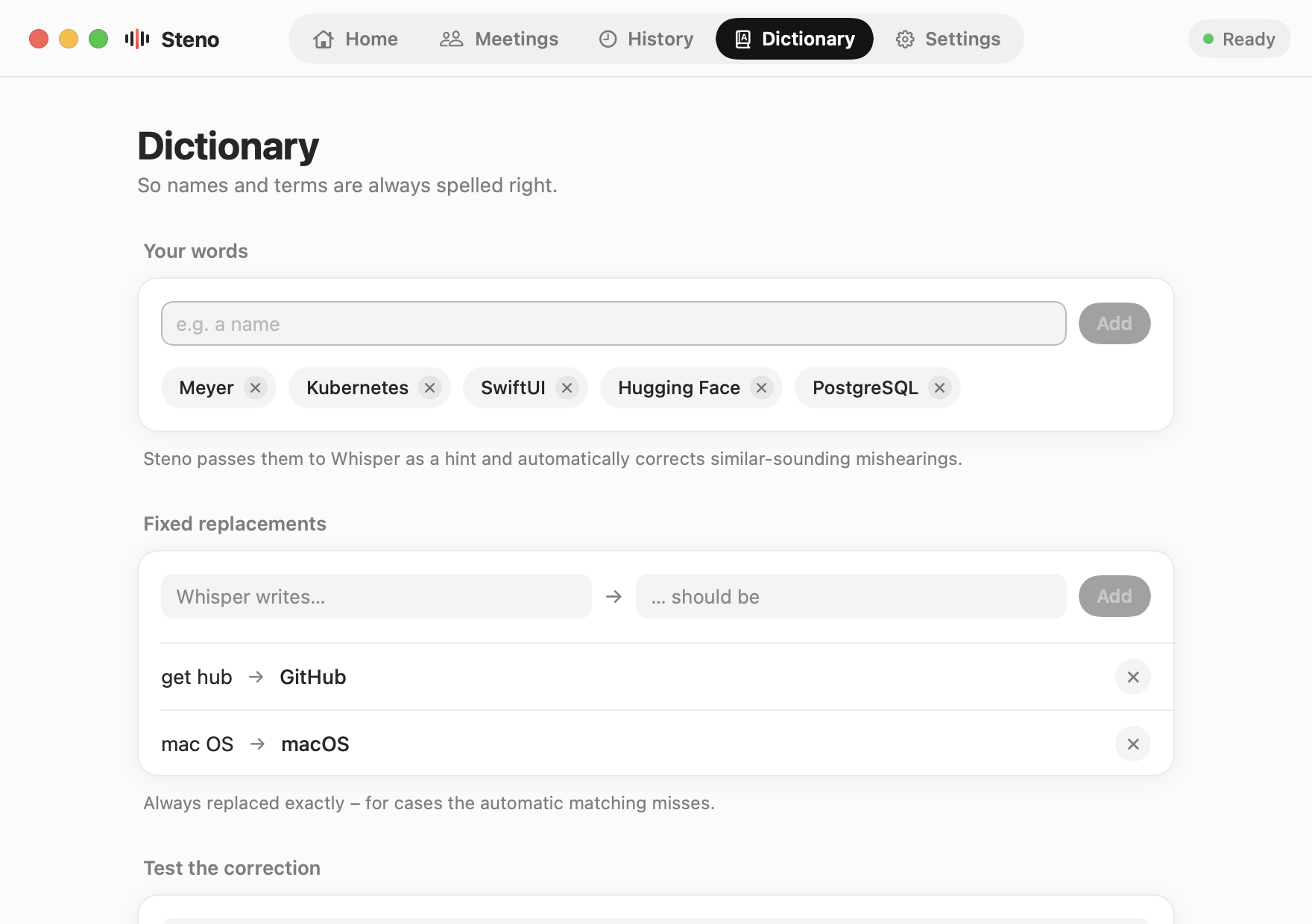
Names and technical terms. Add them to Steno’s dictionary. Steno passes them to Whisper as a hint and corrects similar-sounding mishearings, for example “Meyr” to “Meyer” or “Kubernetis” to “Kubernetes”. Ordinary words stay as they are. For cases the automatic matching misses, you can add fixed replacements.
What you need
- Mac with Apple silicon (M1 or later)
- macOS 14.2 Sonoma or later
- 2.5 GB free space, about 4 GB for Large v3
Steno is free and open source. Download Steno for Mac, see what it does on the Steno home page or read the source code on GitHub.